All templates

Performance

Studio reaction

A close-up reaction. Your character.

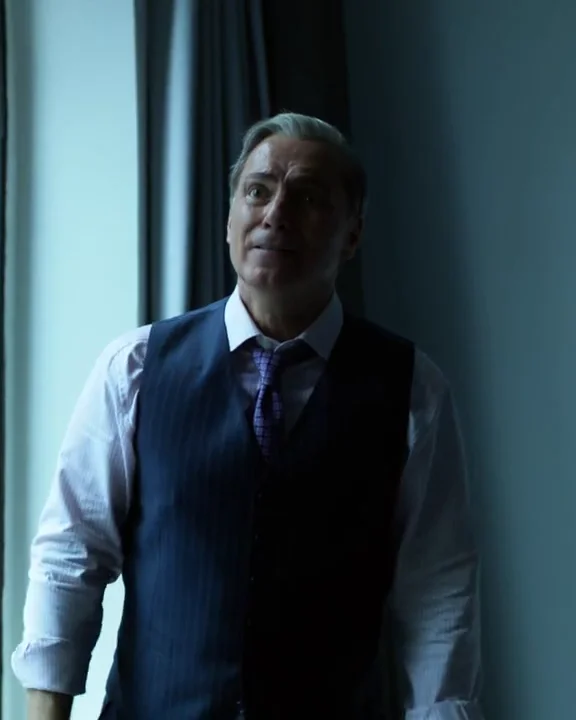
Studio reaction turns an included five-second close-up performance into a starting point for a character-replacement reaction clip. Use it for a short expression or gesture response: the original supplies the performance and blue-stage setting, while your photo supplies the new person.

Early access. Preview the original scene before replacement. Your generated result will depend on your person photo.

Inputs
Person photo · original video included
Duration
5-second included source
Before starting
Review and confirm the credit quote
Use template

Your uploads and results stay in your private library.

Share first-video feedback

What this scene does

Keep the performance

  • The included close-up performance and blue studio background.
  • The original broad expression changes, hand gestures and shot timing.

Bring in a new person

  • The main performer’s appearance using one person reference photo.

Before you create

Choose your photo

  • Use a sharp head-and-shoulders photo with an unobstructed face.
  • Choose a reference with a similar face angle to the included original.
  • Watch the original first to check whether its reaction suits your post or reply.

Know the limits

  • Early access: the preview shows the included original, not a generated result from your photo.
  • Fine facial expressions, teeth, mouth movements and hand detail can vary.
  • This does not add captions, speak your text or guarantee lip sync.

Read the creation guide

Questions about studio reaction

Can I make a reaction video with one photo?

Yes. This template includes a five-second studio performance. Upload one clear person photo, review the credit quote and confirm before generation starts.

Can I add a meme caption or a new spoken line?

Caption editing and text-to-speech are not included. This creates a character-replacement version of the existing reaction; add your own captions or audio in a separate editor.

Will the background come from my photo?

No. This template follows the included studio scene. To animate the person within your photo’s setting, choose Animate a photo and supply a motion reference video.